Presenting a Project in Class
How to structure and deliver a clear, confident 5–8 minute project presentation that shows strong understanding and impresses both your teacher and classmates.
The Context of a Class Project Presentation
This is a graded presentation in front of 25–45 classmates and your teacher. You'll usually have slides, a poster, or a model. Time is strictly 5–8 minutes, followed by questions. Your teacher wants to see clear thinking, good organisation, and that you actually understand your work.
- ✓Time — 5–8 minutes is typical. Going over loses marks and attention.
- ✓Audience — Your peers (who may be bored) + the teacher who is marking you.
- ✓Visuals expected — Slides, charts, or physical model are usually required.
- ✓Q&A — You will be asked questions. How you handle them matters as much as the talk.
The 6-Part Structure
This structure works for any project. It's simple to remember and your audience will naturally follow along.
- ✓1. Hook + Project Title (15–20 sec) — Start with one surprising fact or question related to your topic.
- ✓2. Objective / Research Question (15–20 sec) — Clearly state what you were trying to find out or prove.
- ✓3. Method (45–60 sec) — How you did the experiment or research. Keep it short and use your visual aid.
- ✓4. Key Findings / Results (1.5–2 min) — Show 2–3 main results with numbers, photos, or a simple table. This is the heart of your talk.
- ✓5. What It Means + Learning (40–50 sec) — Explain the real-life meaning or what you personally learned.
- ✓6. Conclusion + Thank you + Invite Q&A (15–20 sec) — End cleanly and say you are happy to take questions.
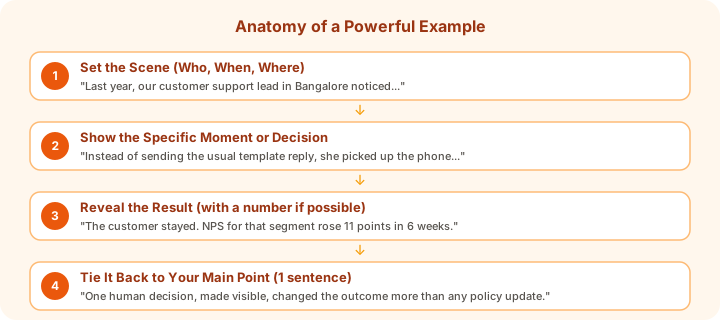
Sample Presentation Script
Here's a full sample for a simple science project. The spoken part takes about 5 minutes. Use it as a template for your own project.
Using Visuals Effectively
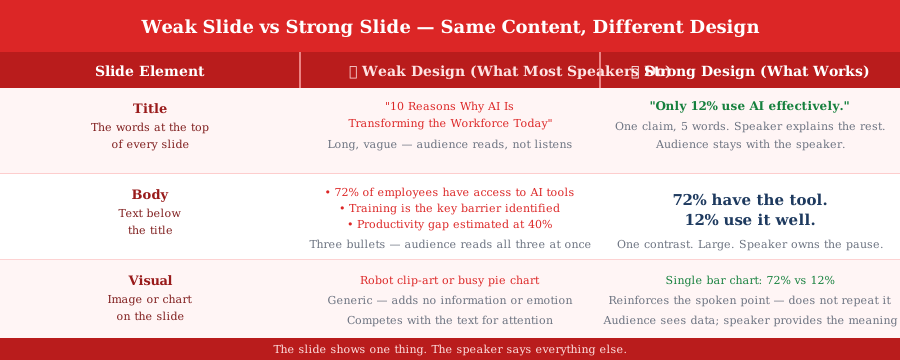
Your visuals should help people understand quickly. Teachers notice when slides are clean and actually support what you're saying.
- ✓One idea per slide — Title + one photo/chart + 3–4 bullet points maximum.
- ✓Large text — Use at least 28–32 point font so the back row can read it.
- ✓Real visuals — Use actual photos of your experiment or simple hand-drawn diagrams rather than clipart.
- ✓Show data clearly — A small table or bar graph is much better than long sentences.
Handling Q&A
The Q&A counts toward your marks. Here's how to handle it with confidence.
- ✓Repeat the question — This gives you thinking time and makes sure everyone heard it.
- ✓If you do not know — Say honestly: 'I did not test that, but based on my results I think...'
- ✓Keep answers short — 30–45 seconds per answer is enough. Do not ramble.
- ✓Thank the person — A simple 'Thank you for the question' sounds professional.
Key Takeaways
- 1Keep the spoken part between 5 and 8 minutes — shorter is safer in class presentations
- 2Use exactly six clear parts: Hook, Objective, Method, Results, Meaning, Conclusion + Q&A
- 3Show real data or photos in your results section — this is what makes your project believable
- 4Slides must be very simple — one idea, large text, one visual per slide
- 5Never read your slides. Speak to the class and use the slides only as support
- 6Practise the full talk with timer and prepare two possible Q&A answers in advance
What's Next
Continue through the course in order, or jump back to review earlier lessons.